Image 1 of 6.
Functions
In stock
Universal Mini FM Transmitter AUX Adapter with 3.5mm Jack | CA/ITR/FM02
SKU: CA/ITR/FM02
£11.99
Check if this fits your car
1
Key specifications
- FM frequency
- 87.5-108.0MHZ
- Frequency response
- 100-15000Hz
- Transmission distance
- 5 meters
- Output voltage
- 5V (±0.1V)
- Size
- 2.36″x1.46″x0.39″
- Net weight
- 0.55oz
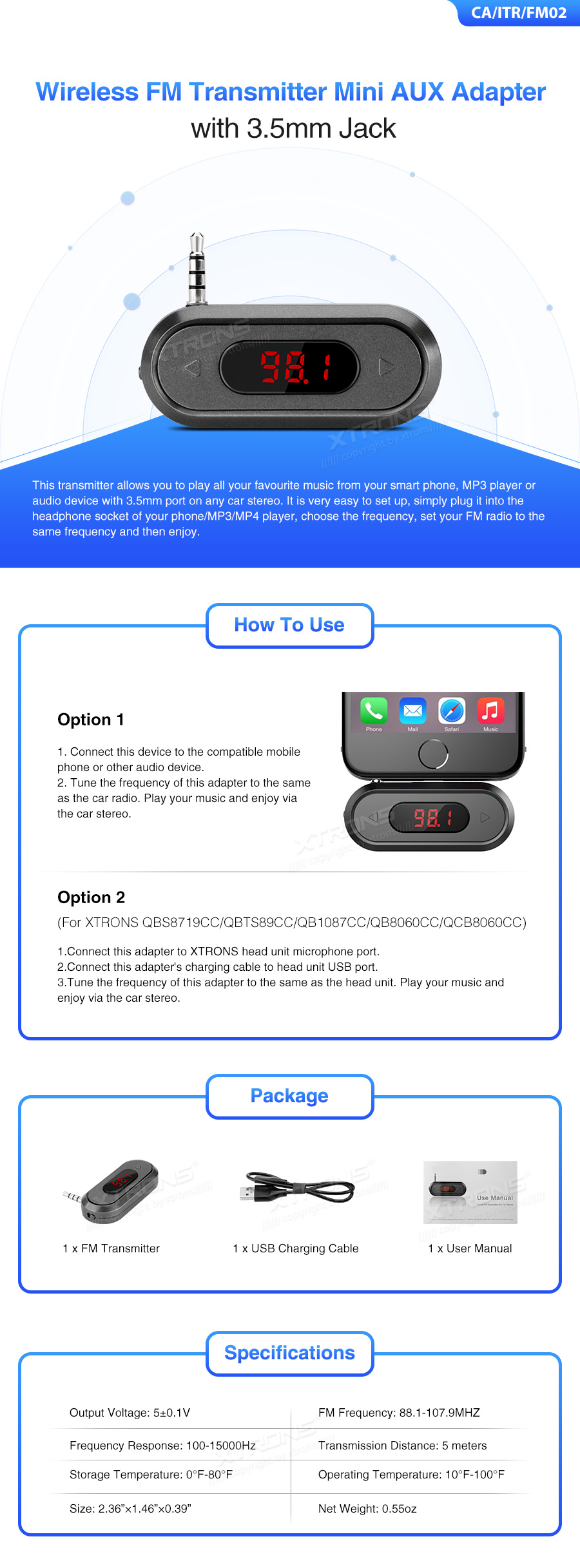
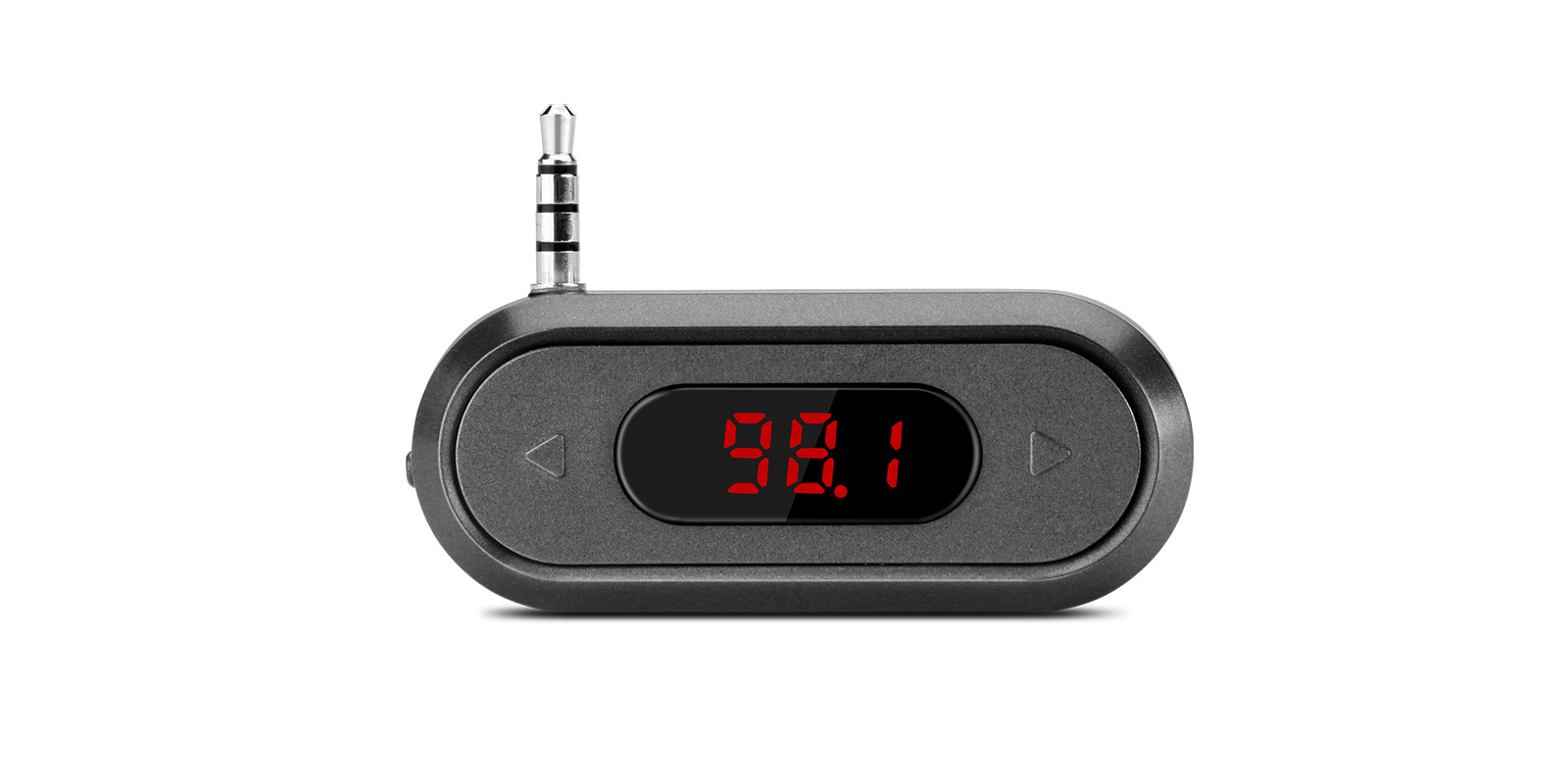
The XTRONS FM02 is a small FM transmitter that plugs into a 3.5mm headphone socket and sends the sound to your car radio on an FM frequency. It's also used to get sound from XTRONS screen upgrades into cars that have no working AUX input.
- Plays audio from any device with a 3.5mm port through the car radio
- FM frequency range 87.5-108.0MHZ, transmitting up to 5 meters
- Powered and charged through a USB charging cable
- Works with XTRONS head units such as the QBS8719CC and QBTS89CC
Sound through your car radio without AUX
Plug the transmitter into the headphone socket of your phone, MP3 or MP4 player, choose a frequency, and tune the car radio to match. The music then plays through the car speakers.
With an XTRONS head unit such as the QBS8719CC or QBTS89CC, plug the transmitter into the head unit's audio out port and its charging cable into the head unit's USB port, then match the frequencies. That gets the screen's sound into a car without a working AUX input.
Small and USB powered
It measures 2.36″x1.46″x0.39″ and weighs 0.55oz, so it tucks out of sight behind the dash. Power comes through the USB charging cable in the box.
What's in the box
- 1 x FM Transmitter
- 1 x USB Charging Cable
- 1 x User Manual
| FM frequency | 87.5-108.0MHZ |
|---|---|
| Frequency response | 100-15000Hz |
| Transmission distance | 5 meters |
| Output voltage | 5V (±0.1V) |
|---|
| Size | 2.36″x1.46″x0.39″ |
|---|---|
| Net weight | 0.55oz |
| Storage temperature | 0°F-80°F |
| Operating temperature | 0°F-100°F |
Universal: fits most cars. Check the dimensions in the specifications against your dash.
- Option 2 (For XTRONS QBS8719CC/QBTS89CC)
For a phone or music player, plug the transmitter into its 3.5mm headphone socket and tune the transmitter and car radio to the same frequency. For an XTRONS head unit, connect it to the unit's audio out port, plug its charging cable into the unit's USB port and match the frequencies.
Do I need this for my XTRONS screen upgrade?
If your car has no AUX input or the AUX doesn't work, many XTRONS screen upgrades need an FM transmitter like this one to get sound through the car speakers.
What frequencies can it use?
Anywhere in 87.5-108.0MHZ. Set the car radio to the same frequency.
How is it powered?
Through the USB charging cable in the box.
Reviews
What customers say
Bought this product? Sign in to write a review.
Full specification from XTRONS
XTRONS's own pages for this product, as the manufacturer publishes them. Open any of them at full size to zoom in.