Image 1 of 5.
Functions
- Bluetooth
- OBD2 diagnostics
In stock
Universal Bluetooth OBD2 Diagnostic Scanner with On/Off Switch | ICE/SS/OBD01S
SKU: ICE/SS/OBD01S
£10.99
Check if this fits your car
1
Key specifications
- Connection
- Connects wireless via Bluetooth up to 3 meters (no cable connection)
- Pairing password
- 1234
- Code database
- over 3000 universal code definitions
- ISO 9141-2
- ISO 9141-2 (5 baud init, 10.4 kbaud)
- ISO 14230-4 KWP
- ISO 14230-4 KWP (5 baud init, 10.4 kbaud)
- ISO 14230-4 KWP fast
- ISO 14230-4 KWP (fast init, 10.4 kbaud)
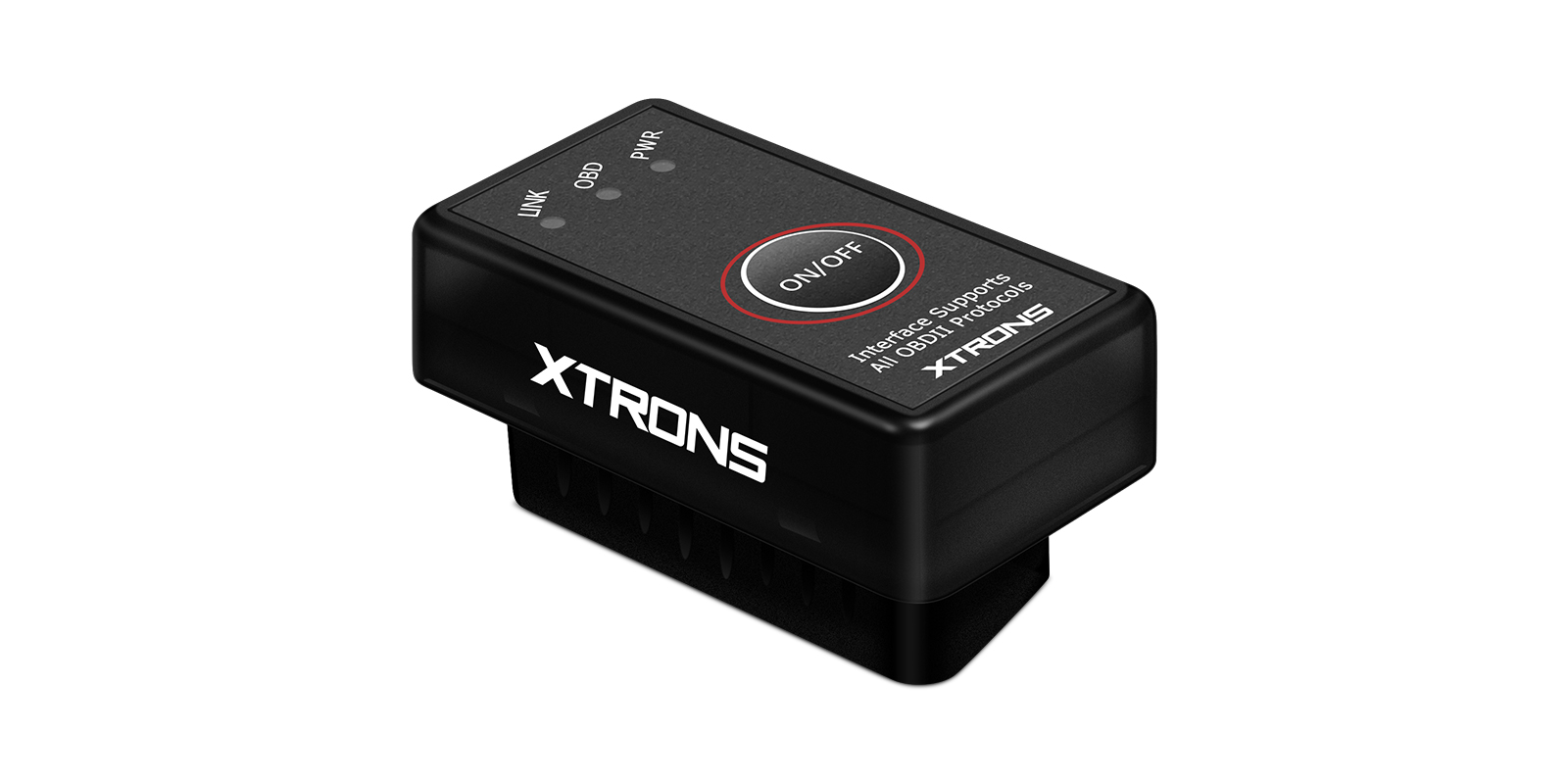
The XTRONS OBD01S is a small Bluetooth OBD2 scanner that plugs into your car's diagnostic socket and sends live engine data and fault codes to an Android phone, tablet or XTRONS head unit. Its on/off switch means you can leave it plugged in and turn it off when you're not using it.
- Reads and clears engine fault codes and the check engine light
- Shows live data such as engine RPM, coolant temperature and fuel trim
- Connects by Bluetooth up to 3 meters, pairing password 1234
- On/off power switch so it can stay plugged in
Fault codes and live engine data
Plug the scanner into the 16-pin diagnostic socket under the dash and pair it with an Android smartphone or tablet running a compatible app. It reads generic and manufacturer-specific trouble codes, shows a description from over 3000 code definitions, and clears codes and the check engine light.
While you drive, it can show live readings including engine RPM, coolant temperature, calculated load, fuel system status, speed, short and long term fuel trim, intake manifold pressure, timing advance, intake air temperature and flow rate, throttle position and oxygen sensor voltages. That helps you spot a problem before it gets worse.
Bluetooth with an on/off switch
It connects wirelessly by Bluetooth up to 3 meters, so there's no cable trailing across the cabin. The pairing password is 1234. It can also connect to a Bluetooth-enabled computer using the supplied software.
The power switch lets you leave it in the socket and turn it off when it's not in use. It measures 48 x 25 x 23 mm and suits XTRONS IA, ID, IM, IP, IQ, IX, PX, UA, QA, QB, QL, QG, QIR, QT and QW Series head units.
| Connection | Connects wireless via Bluetooth up to 3 meters (no cable connection) |
|---|---|
| Pairing password | 1234 |
| Code database | over 3000 universal code definitions |
| ISO 9141-2 | ISO 9141-2 (5 baud init, 10.4 kbaud) |
|---|---|
| ISO 14230-4 KWP | ISO 14230-4 KWP (5 baud init, 10.4 kbaud) |
| ISO 14230-4 KWP fast | ISO 14230-4 KWP (fast init, 10.4 kbaud) |
| ISO 15765-4 CAN 11 bit 500 | ISO 15765-4 CAN (11 bit ID, 500 kbaud) |
| ISO 15765-4 CAN 29 bit 500 | ISO 15765-4 CAN (29 bit ID, 500 kbaud) |
| ISO 15765-4 CAN 11 bit 250 | ISO 15765-4 CAN (11 bit ID, 250 kbaud) |
| ISO 15765-4 CAN 29 bit 250 | ISO 15765-4 CAN (29 bit ID, 250 kbaud) |
| Dimensions | 48 x 25 x 23 mm |
|---|
Universal: fits most cars. Check the dimensions in the specifications against your dash.
- For your vehicle to be OBD II compliant it must have a 16-pin DLC (Data Link Connector) under the dash and the Vehicle Emission Control Information Label must state that the vehicle is OBD II compliant.
- Alfa Romeo / Audi / Bentley / BMW / Cadillac / Chevrolet / Chrysler / Citroen / Daewoo / Fiat / Ford / GM /Honda / Hyundai / Isuzu / Jaguar / Jeep / Kia / Land Rover / Lexus / Mazda / Mercury / Mini / Mitsubishi / Opel / Peugeot / Porsche / Renault / Rover / Saab / Seat / Skoda / Toyota / Vauxhall / Volvo / VW
- Perfect Fit for XTRONS IA/ID/IM/IP/IQ/IX/PX/UA/QA/QB/QL/QG/QIR/QT/QW Series head units.
Plug the scanner into the 16-pin diagnostic socket under the dash, switch it on and pair it by Bluetooth using the password 1234. You'll need a compatible app on your phone, tablet or head unit to read the data.
Will it work with my car?
It works with OBD II compliant vehicles. Your car needs a 16-pin diagnostic connector under the dash, and its Vehicle Emission Control Information Label must say it's OBD II compliant.
Does it work with an iPhone?
It pairs with Android smartphones and tablets, Bluetooth-enabled computers and XTRONS head units. Apple devices aren't listed, so use one of those instead.
Can I leave it plugged in?
Yes. Use the on/off switch to turn it off when you're not using it.
What's the Bluetooth password?
1234.
Reviews
What customers say
Bought this product? Sign in to write a review.
Full specification from XTRONS
XTRONS's own pages for this product, as the manufacturer publishes them.